AI Bookmark Managers: Five Ways to Find and Use Saved Links
Compare Raindrop, mymind, Karakeep, Recall, and Ancher for saved links, AI retrieval, and source-based writing, with a practical test before importing.

You remember the article’s idea, but not its title. A search through your bookmarks returns pages that share the same words, and none looks quite right. This is the moment when an AI bookmark manager starts to sound useful.
TL;DR
An AI bookmark manager can add automatic tagging, summaries, or meaning-based retrieval to saved links. Start with Raindrop for explicit organization, mymind for visual recall, or Karakeep for configurable saving. Recall and Ancher extend into connected notes and source-based writing. Test retrieval, saved content, and export separately: keeping a URL does not mean preserving the page.
The best starting point is the part of bookmarking that keeps failing you. Below are five options to consider, followed by a small test you can run before importing years of saved links.
Decide what you need to recover
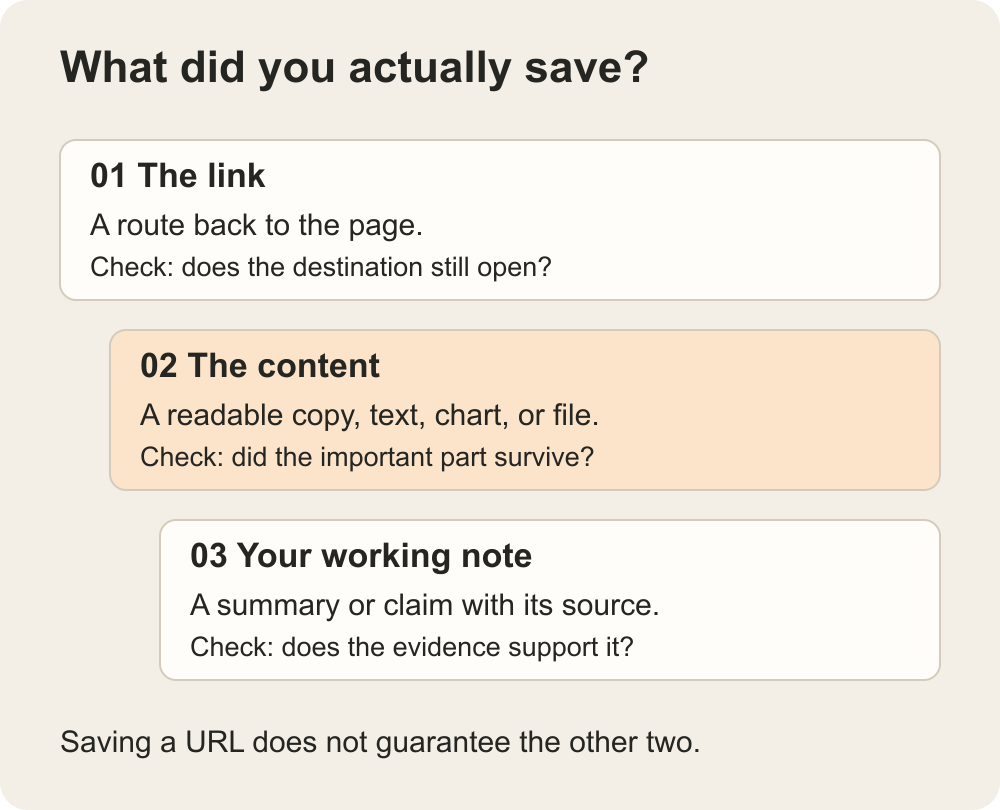
There are three different things you might want back: the URL, the source content, or an answer based on several sources. Be clear about which one matters.
| You need | Look for | Why it matters |
|---|---|---|
| The original link | Collections, tags, filters, duplicate handling | You know the destination and want to reopen it |
| A passage you remember | Full-text or meaning-based search | The title may not contain the words you remember |
| Material from a missing page | A usable saved copy or archive | A bookmark alone does not preserve the page |
| A brief from several sources | Source-based synthesis and traceability | Finding links is only the first step |
For a visual reference library, browsing thumbnails may be more helpful than a chat box. For research, you may care more about finding a particular passage and verifying its context. Both are valid reasons to choose a tool.
Five options for different bookmarking habits
These are workflow recommendations, not speed or accuracy rankings. Each entry identifies a reason to shortlist the tool and something to verify with your own material.
Raindrop.io: a bookmark library with explicit organization
Raindrop.io organizes saved material through collections, tags, and filters, and documents features for highlights, full-text search, duplicates, and broken links. It also now documents Stella AI; older comparisons that call it a purely non-AI option are incomplete.
Start here if you want a recognizable bookmark library rather than replacing your collection structure with an entirely different workflow. For example, you may want a project collection while still filtering by domain or content type.
Check which capabilities belong to your chosen plan. In particular, treat search, archived content, and AI assistance as separate requirements. Do not assume paying for one guarantees every other feature you need.
mymind: a visual collection without much manual filing
mymind emphasizes saving material without manually filing and tagging everything, using AI to help organize and retrieve it. That makes it worth considering when you remember what something looked like better than where you put it.
A designer collecting references or a writer saving a mix of images and articles may prefer that approach to maintaining a folder hierarchy. The deciding trial is whether you can recover a specific item using the cues you naturally remember.
If a predictable folder structure or a particular export format is essential, verify that separately before moving your collection. An appealing visual library does not by itself establish how well your organizational habits or exit requirements will transfer.
Karakeep: configurable saving, search, and AI tagging
Karakeep lists automatic AI tagging and summaries, full-text and semantic search, and saving for links, notes, images, and PDFs. It offers cloud access and a self-hosted route.
This makes it a candidate when you want more control over how saved material is processed and organized. Its documented archiving features are also relevant if preserving access to a page matters more than simply retaining the URL.
If you self-host, inspect the actual configuration. A local application can still send content to an external model service. Check backup behavior and confirm which pages were successfully archived; do not assume every login-protected or dynamically loaded page will become a complete offline copy.
Recall: turn a reading collection into connected notes
Recall focuses on a knowledge base built from saved content, with summaries, smart tags, and connections. Consider it when you want to return to the ideas in your reading rather than manage only a list of destinations.
For example, you might save articles and videos about the same topic over several weeks. The useful question is whether you can recover a relevant source and understand how it relates to the others without trusting an isolated summary.
Try a source with an important qualification. Check whether the saved note retains it and lets you get back to the original. A connected library is helpful only if those connections do not flatten meaningful differences between sources.
Ancher: when saved links need to become work
Ancher is our product, and its role here is broader than a conventional bookmark library. Ancher’s workflow takes saved sources into structured notes and lets you use collections as context for writing.
That is worth trying if your bookmarks are raw material for a newsletter, a proposal, or a research brief. Instead of asking only where an article went, you want to use the relevant reading together.
Start with a few permitted sources for one piece of writing. Inspect the captured notes, place the relevant material in a collection, and request an outline that keeps claims connected to sources. Then verify it. If all you need is synchronizing bookmark folders across browsers, begin with a dedicated bookmark manager; this comparison does not establish Ancher as a replacement for every browser-bookmark function.
Run a small retrieval test before importing everything
Use a modest set of links you already know: a long article, a PDF, an image-heavy page, an item with a vague title, and something related to a current project. Include a difficult page if it is material you are permitted to save.
- Save and inspect. Check what arrived: URL only, extracted text, images, or an archived page. Look for missing sections.
- Search as you would later. Try a remembered phrase, then describe the idea without using the title. Record which query actually finds the item.
- Check a summary. Compare one important claim to the original passage, including its caveats.
- Use the result. Put the recovered source into the document or project that made you save it.
- Export a sample. Open the export elsewhere and see what survives: links, notes, tags, highlights, or source copies.
Suppose you saved a report because one chart supported your argument. If the importer captured the surrounding text but omitted the chart, the item may still appear successfully saved. The right outcome is noticing that gap before you need the evidence—not discovering it after the original page changes.
Check cost, access, and what leaves the app
Compare the plan against your real library, not just the free sign-up experience. Full-text search, AI usage, archiving, storage, and exports may have different limits. Confirm those limits on the current plan page before committing.
Also check what a browser extension can access and what happens to content sent for processing. Use approved tools for work material. A private saved collection does not automatically mean no third-party service processes its contents.
Keep a backup of important source files you are entitled to retain. A bookmark export is useful, but it may preserve only URLs and labels rather than the page content or relationships you built inside the app.
Choose for the moment you come back
Start with Raindrop if explicit bookmark organization is central, mymind if visual recall fits your habits, or Karakeep if configurable saving and hosting matter. Consider Recall for a connected reading library and Ancher when your saved material needs to become a piece of writing.
Whichever you try, return to the article you could not find at the beginning. Can you recover it using what you remember, inspect the part that matters, and use it in your work? That is a more useful result than importing a larger collection you still cannot navigate.
Ancher
Put your saved links to work
Collect sources for a real writing task and turn the relevant reading into a draft you can review.
Try AncherFAQ
Frequently Asked Questions
Will an AI bookmark manager preserve every page?
Do not assume so. Saving a URL, extracting text, and archiving a page are different operations. Inspect a saved sample, especially when the original contains charts, requires a login, or loads content dynamically.
Is semantic search the same as full-text search?
No. Full-text search looks for text in indexed content. Semantic search aims to retrieve material by meaning. Try both a remembered phrase and a description of the idea to see what works for your collection.
Should I import all my bookmarks immediately?
Start with a small sample you know well. Check capture, retrieval, summaries, and export before importing the archive. Keep your existing backup until you know the new system preserves what matters.