Readwise Alternatives: Five Ways to Keep Your Highlights
Compare Readwise alternatives by the job you need: Glasp for highlights, Matter and Instapaper for reading, Obsidian for notes, and Ancher AI for writing.

Readwise is good at one thing many reading apps ignore: bringing your highlights back. But it is also a subscription, and many people use only part of it. Before you look for a Readwise alternative, it helps to know which part you would actually miss.
TL;DR
Readwise collects highlights, offers a reader, resurfaces passages on a schedule, and sends them to your notes. Most Readwise alternatives cover one of those jobs well. Use Glasp to collect web and Kindle highlights, Matter or Instapaper for reading, Obsidian to keep highlights in your own notes, and Ancher AI to turn saved reading into source-backed drafts. Export your highlights and your library before you cancel.
Which Readwise job do you need?
Readwise is really two products. Readwise imports highlights from Kindle, Apple Books, Kobo, and other sources, then resurfaces them through a Daily Review that uses spaced repetition. Readwise Reader is a reading app for articles, newsletters, PDFs, and videos. Together they do four jobs.
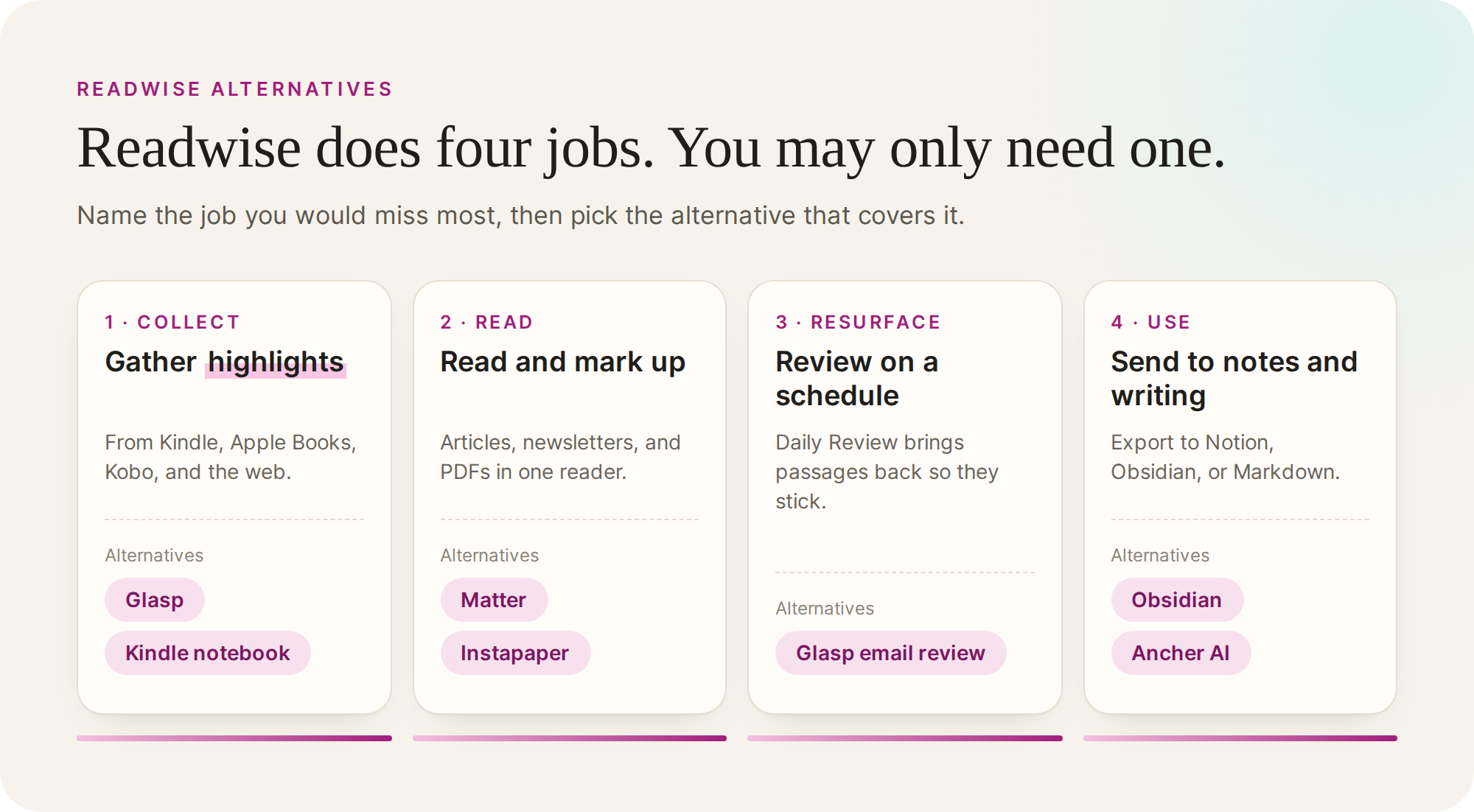
| Job | What Readwise does | Readwise alternative to try |
|---|---|---|
| Collect | Imports highlights from ebooks and the web | Glasp, or your Kindle notebook |
| Read | Reader handles articles, newsletters, and PDFs | Matter or Instapaper |
| Resurface | Daily Review brings highlights back on a schedule | Glasp’s Kindle review email |
| Use | Sends highlights to Notion or Obsidian, or exports them as files | Obsidian, or Ancher AI for writing |
If you only open Readwise for its Daily Review, you need a resurfacing tool. If you mostly use Reader, you need a reading app. If highlights are raw material for your own writing, you need a place where they connect to notes and drafts.
Five Readwise alternatives by job
These are recommendations by job, not a ranking. Each entry names what the tool covers, what it leaves out, and something to check.
Glasp: collect web and Kindle highlights
Glasp is a free highlighter for web pages, PDFs, and YouTube videos that works in Chrome, Safari, Edge, and Firefox, with iOS and Android apps. It can import Kindle highlights from Kindle Cloud Reader, send a daily email review of them, and export to Notion, Obsidian, Markdown, or CSV.
Shortlist it if collecting and reviewing highlights is the job you want to keep. The boundary to know: highlights are visible to other readers by default, and private highlights need Glasp Pro.
Matter: a reader for articles and newsletters
Matter brings saved articles, newsletters, and feeds into one reading app on iPhone, iPad, and the web. You can highlight while reading or listening, and it describes syncing highlights to your notes.
Shortlist it if Reader was the part of Readwise you used most. Check device support and export options first; Matter lists iPhone, iPad, and the web.
Instapaper: a simpler reading queue
Instapaper is a lighter Readwise Reader alternative. It saves articles into a clean reading view on iOS, Android, and the web, and you can highlight as you read. Premium adds full-text search, unlimited notes, and Kindle sending.
Shortlist it if you want to read and highlight without a review system. It does not resurface highlights the way Readwise does. For more reading apps, see our guide to the best read-it-later apps.
Obsidian: keep highlights in your own notes
Obsidian stores notes as local Markdown files and offers a Web Clipper for saving pages. Many people already send Readwise highlights to Obsidian; you can keep them there after you leave and build your own review habit around them.
Shortlist it if you care most about owning your highlights as plain files. The boundary is effort: Obsidian will not resurface passages for you unless you set that up yourself.
Ancher AI: turn saved reading into writing
Ancher AI is our product. It saves articles, videos, posts, and PDFs as structured notes, and lets you use a collection as context for a brief or draft, with each claim linked back to its source. It runs on the web, iOS, and Android, with a Chrome extension for saving.
Shortlist it if your highlights were always meant to feed writing, research, or decisions. It is not a spaced-repetition tool, so keep Readwise or Glasp if review is what you rely on. See how researchers use Ancher AI.
Export from Readwise before you switch
Readwise and Reader export different things, so export both before you cancel.
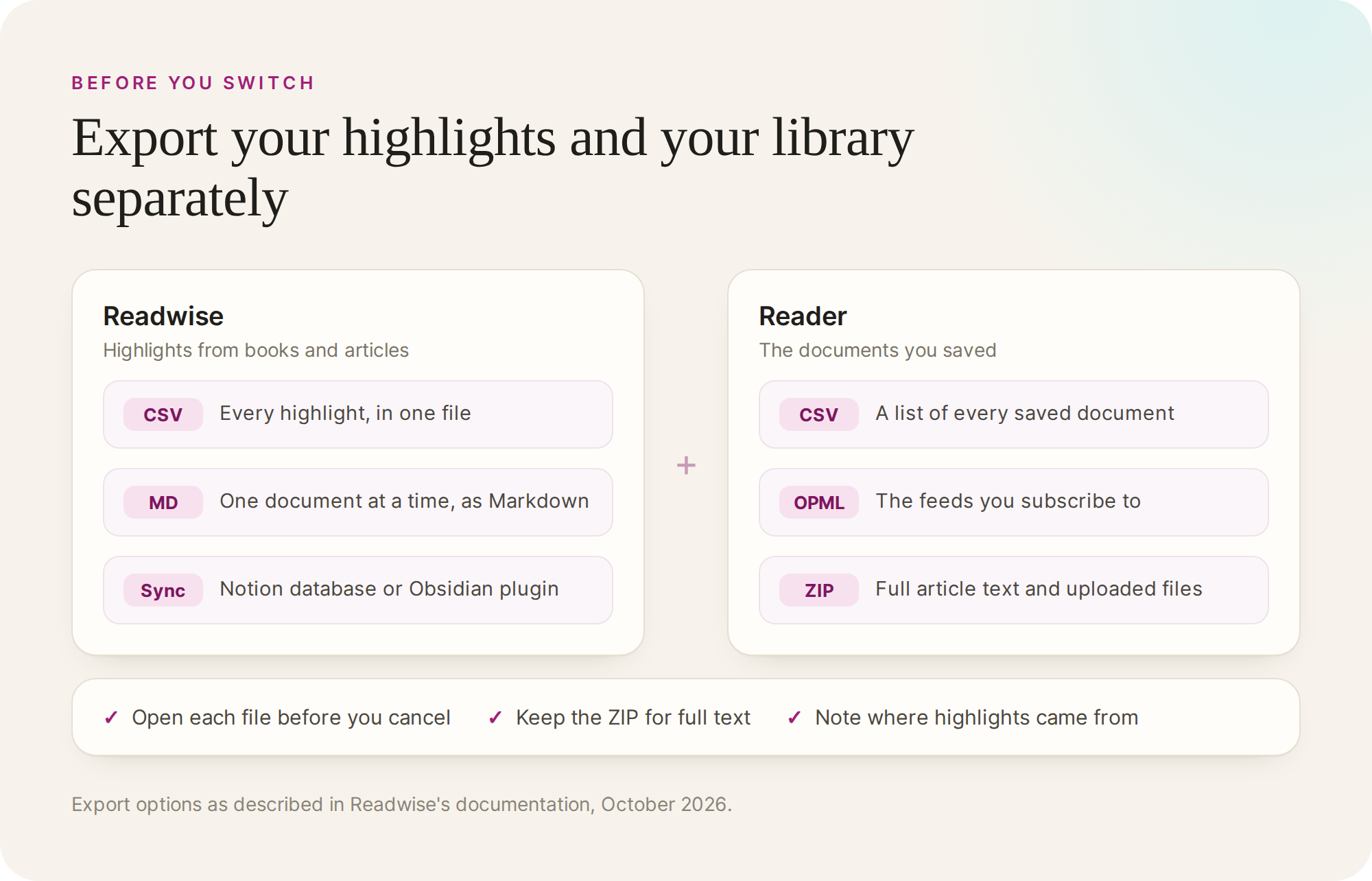
- Export your highlights. Readwise lets you download all your highlights as a CSV file or as plain-text files, export a single document as Markdown, or keep syncing them to Notion or Obsidian until you leave. For a complete backup, use the account-wide CSV or plain-text export, not the per-document Markdown.
- Export your Reader library. Reader can generate a CSV of all documents, an OPML file of your feeds, and a ZIP with full article text and uploaded files.
- Open the files. Check that the CSV opens and that a few highlights match their sources.
- Test one alternative with a sample. Import a few books or articles and confirm the new tool keeps what you care about.
When to keep Readwise
If you read on Kindle, highlight a lot, and open the Daily Review most days, Readwise is doing exactly what it was built for, and none of these alternatives replaces all of it. A Readwise alternative makes sense when you pay for jobs you no longer use, or when the job you need most is a different one: reading, owning plain files, or writing from what you saved.
Ancher
Write from what you highlighted
Turn saved reading into briefs and drafts that point back to each source.
Try AncherFAQ
Frequently Asked Questions
Is there a free Readwise alternative?
Glasp is free and covers highlight collection, Kindle import, and a daily review email, though private highlights need Glasp Pro. Instapaper has a free plan with unlimited saves, and Obsidian is free for personal use.
What is the best Readwise Reader alternative?
For a full reading app with newsletters and audio, try Matter. For a simpler queue, try Instapaper. Neither resurfaces highlights the way Readwise does, so pair them with Glasp if review matters.
How do I get my highlights out of Readwise?
Use the export page in your Readwise account to download all highlights as CSV or plain-text files; Markdown export covers one document at a time. For Reader documents, use the CSV library export or the ZIP export, which includes full article text.