Best Pocket Alternatives: Five Apps to Replace Pocket
Pocket shut down in 2025. Compare five Pocket alternatives, from Instapaper to Ancher AI, by how you used Pocket, and move your export safely.
Pocket gave every interesting link somewhere to land. Mozilla shut the service down on July 8, 2025, and the window for exporting your data closed on November 12, 2025. If you are still looking for a Pocket alternative, the useful question is not which app has the most features. It is what your saves were actually for.
TL;DR
The best Pocket alternative depends on how you used Pocket. Choose Instapaper for reading later, Readwise Reader for highlighting and review, Raindrop.io for organizing links, wallabag for self-hosting, or Ancher AI when saved links should turn into notes and writing. Keep your original export file, and test any Pocket replacement with a small set of saves before importing everything.
None of these is a feature-for-feature clone of the Pocket app. Below are five alternatives to Pocket matched to different habits, followed by a short test you can run with your own export.
Which Pocket alternative fits how you used Pocket?
Before comparing apps, name the habit you want to keep. “Something like Pocket” is hard to evaluate. “I want to read long articles on my e-reader” or “I want to find that link from last spring” gives you a meaningful comparison.
| Pocket alternative | Shortlist it for | Boundary to understand |
|---|---|---|
| Instapaper | Saving articles and reading them later on a phone, computer, or e-reader | Built around reading, not organizing a large archive |
| Readwise Reader | Reading, highlighting, and revisiting what you highlighted | Works best if you will actually review your highlights |
| Raindrop.io | Organizing many saved links with collections, tags, and search | A bookmark library is not the same as a reading queue |
| wallabag | Running your own read-it-later service | You own the server, updates, and backups |
| Ancher AI | Turning saved links, videos, and posts into notes, briefs, and drafts | Check what was captured and the evidence behind generated writing |
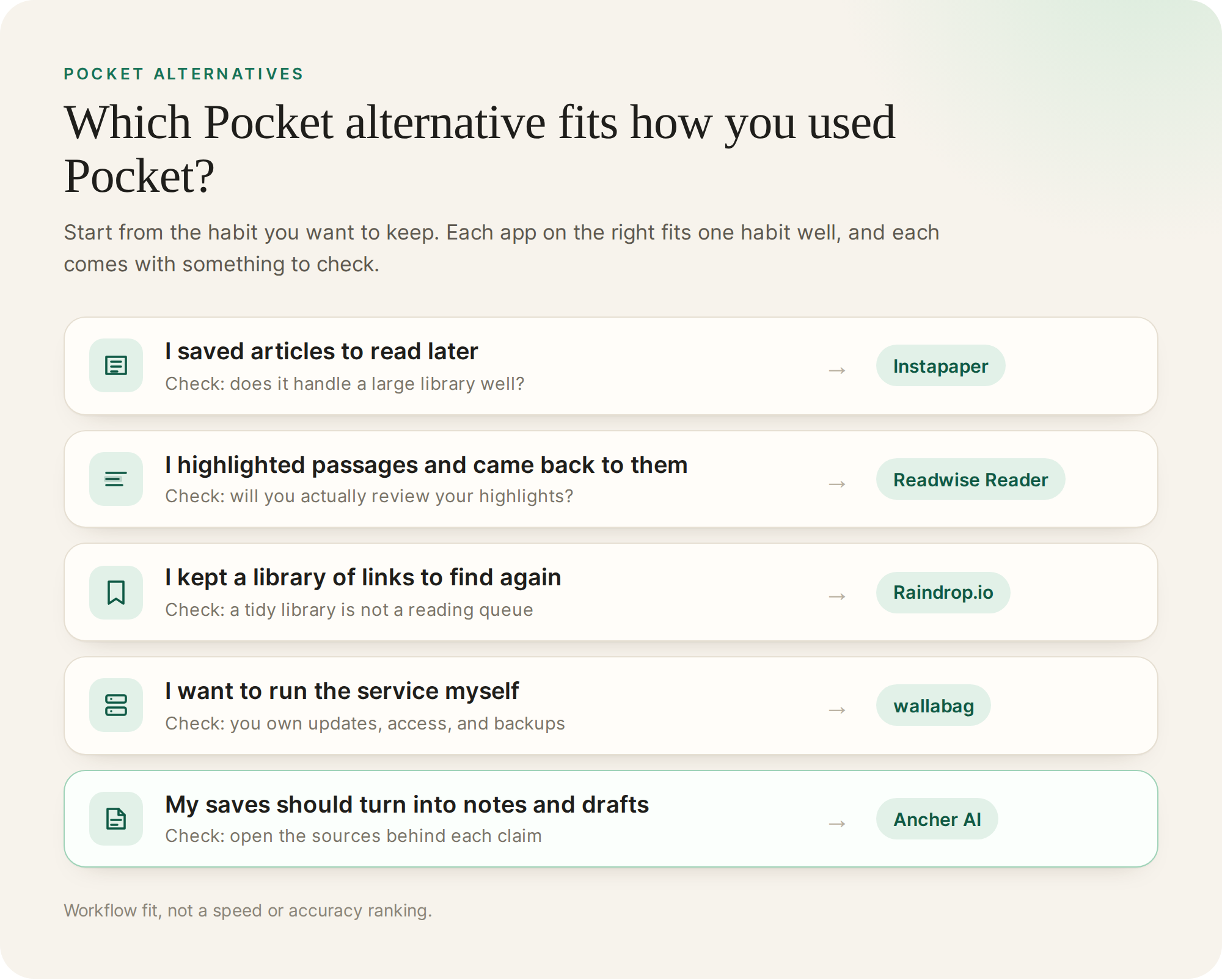
Instapaper is the closest match if Pocket was a reading list. Raindrop.io is closer if Pocket was really a bookmark drawer. Readwise Reader and Ancher AI take your saves further in different directions: one toward reviewing what you read, the other toward using it in new work. If reading is the main job, our guide to the best read-it-later apps compares more reading-first options.
Check your Pocket export before you switch
Pocket’s export is now the only copy of your library, so treat it carefully. Depending on when you exported, you may have an older HTML bookmarks file or a pocket.zip containing CSV files. A typical export holds each item’s URL, title, tags, date added, and whether it was archived. It does not include the full article text, so pages that have since gone offline cannot be recovered from it.
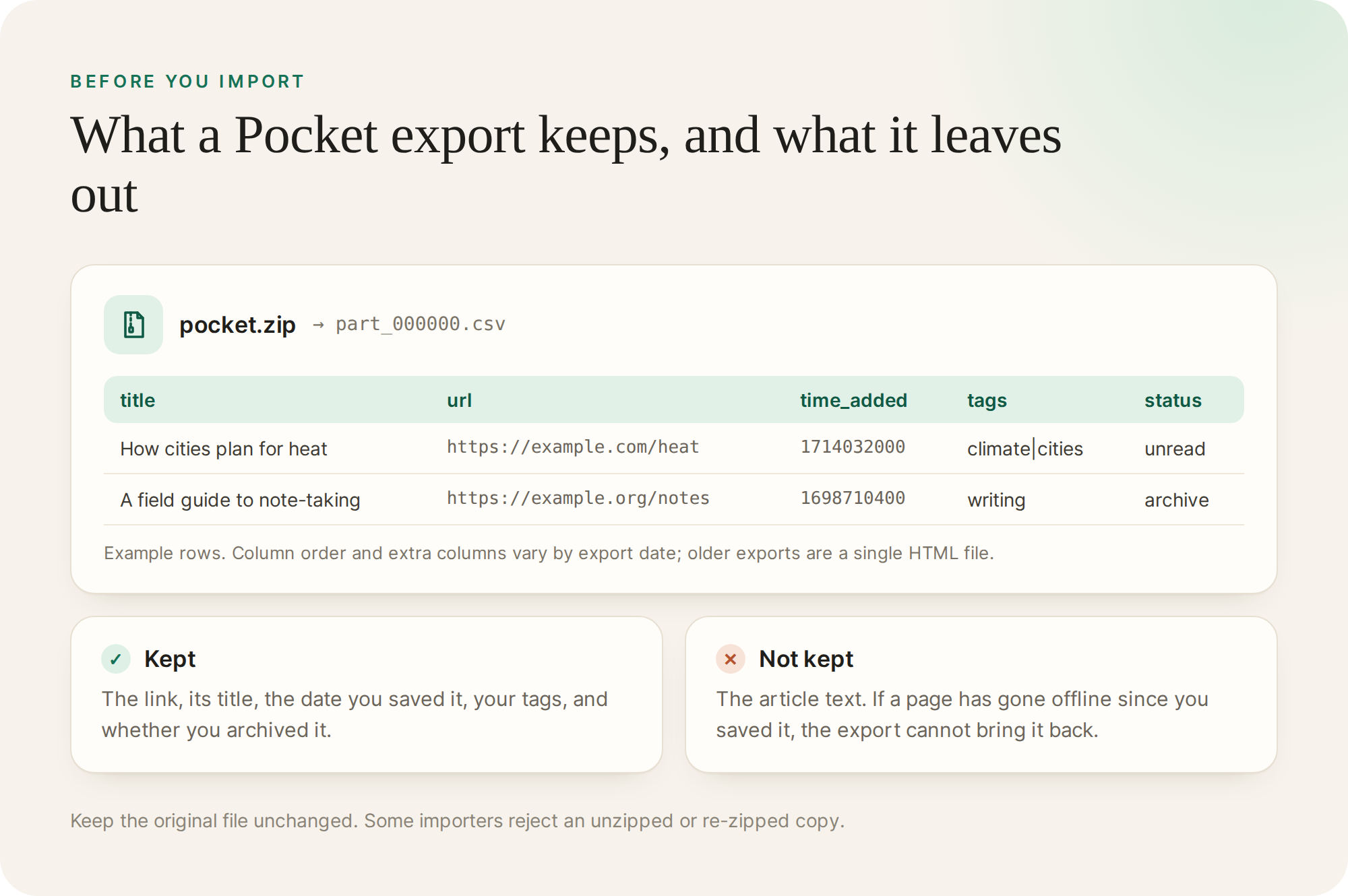
Keep the original file somewhere safe before you try anything. Readwise’s documentation, for example, asks you to upload the original pocket.zip and warns that an unzipped or recompressed file can cause a partial import. Direct Pocket connections in other apps no longer work, because the Pocket API was turned off along with the service.
Five Pocket alternatives for different habits
These are workflow recommendations, not speed or accuracy rankings. Each entry identifies a reason to shortlist the tool and something to verify with your own export.
Instapaper: save now, read later
Instapaper describes itself as a simple tool for saving web pages to read later on iOS, Android, a computer, or an e-reader. If your Pocket habit was “save it now, read it on the train,” it is the most familiar Pocket app alternative to start with.
The boundary is scale. If you saved thousands of links and rely on tags to find them again, test how well it handles a large library before committing. Check its current import options for your export format rather than assuming they match Pocket’s.
Readwise Reader: highlights you come back to
Readwise Reader is a reading app for articles, newsletters, ebooks, PDFs, videos, and tweets, and it syncs your highlights and notes to a Readwise library. Its migration guide covers uploading a Pocket ZIP export.
Shortlist it if you highlighted heavily in Pocket and wished those passages came back to you. The boundary is commitment: Reader rewards people who review what they highlight. If you already use it and want something lighter, see our Readwise alternatives.
Raindrop.io: a library of links with explicit organization
Raindrop.io is a bookmark manager with collections, tags, full-text search, and web archive copies of saved pages. Its import help page lists Pocket among supported sources and accepts HTML and CSV files.
Shortlist it if you used Pocket to stash links you might need later rather than articles you meant to read. A well-organized library does not by itself make you read what is in it. For a wider comparison of bookmark tools, see our guide to AI bookmark managers.
wallabag: a read-it-later service you host
wallabag is a free, open-source read-it-later app you can install on your own server. If you would rather not run it yourself, the project also offers a hosted service at wallabag.it.
That control comes with operational work: someone must install updates, protect access, and maintain backups. wallabag’s original Pocket importer relied on the Pocket API, which no longer works. Since version 2.6.13, wallabag can import a Pocket CSV export instead and then fetch each article’s text where the original page is still online.
Ancher AI: when saved links need to become work
Ancher AI is our product, and its role here is broader than a reading app. It takes saved links, articles, videos, posts, PDFs, and notes into structured notes and lets you use collections as context for writing. You can import a Pocket HTML export, so links you collected over years become material you can search and build on.
Suppose you saved dozens of articles about a market you follow and never found time to read them. Group the relevant ones into a collection and request a brief that keeps each claim connected to its source. Then open the sources behind the two or three claims you would rely on. The result to look for is a shorter list of evidence you can defend, not just a faster summary.
If all you need is a place to read articles later, begin with a dedicated reading app; this comparison does not establish Ancher AI as a replacement for every Pocket feature. See how people use it to replace tools that almost work.
Test a Pocket replacement with the same 50 saves
Pick 50 items from your export that you still care about, and use the same set in each app you are considering. Include a long article, an item with a vague title, and something related to a current project.
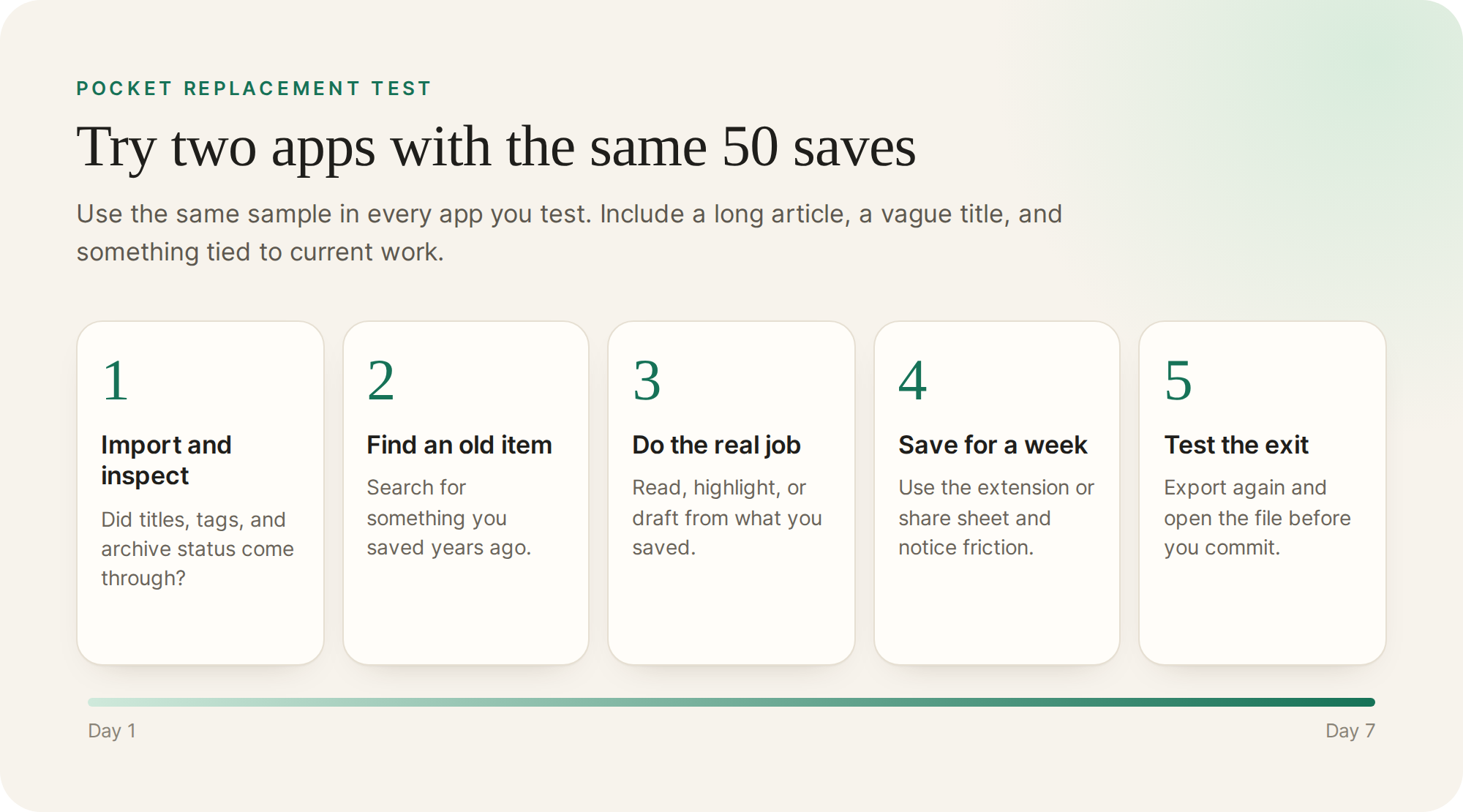
- Import and inspect. Confirm that titles, tags, and archive status came through.
- Find one old item. Search for something you saved long ago and see how quickly it turns up.
- Do the job you used Pocket for. Read an article, highlight a passage, or draft something from what you saved.
- Save something new. Use the browser extension or share sheet for a week and notice the friction.
- Test the exit. Export your library and check that it is readable before you rely on the app.
Do not assume tags, folders, and highlights will transfer perfectly between products. A migration that keeps your URLs can still lose the structure you relied on.
Check cost, access, and what leaves the app
Pocket’s shutdown is a reminder that a saved library is only as durable as the service holding it. Before moving years of saves, check three things on each product’s own pages: which features need a paid plan, which devices and browsers are supported, and what format you can export to.
Prices and plan limits change, so confirm them on the current pricing page rather than in a comparison article, including this one. If you use a hosted service, also check what content is sent for processing and whether that fits the material you save.
Choose for the habit you actually had
If Pocket was a reading list, start with Instapaper. If it was a highlight collection, try Readwise Reader. If it was a bookmark drawer, try Raindrop.io. If control matters most, try wallabag. If your saves were supposed to feed your own writing and research, try Ancher AI.
You do not have to move your whole library on day one. Keep the original export, try one Pocket alternative with a small set, and keep the one that makes your saves useful again.
Ancher
Put your Pocket saves to work
Import your Pocket export and turn the reading you kept into notes and drafts you can review.
Try AncherFAQ
Frequently Asked Questions
What is the best alternative to the Pocket app?
It depends on how you used Pocket. For saving articles and reading them later, Instapaper is the most similar. For organizing a large collection of links, Raindrop.io is closer. For turning saves into notes and drafts, try Ancher AI. Test any of them with a small part of your export first.
Is there a free Pocket alternative?
Yes. wallabag is free and open source if you host it yourself, and Instapaper has a free plan with unlimited saves. Several other apps offer free tiers with limits, so check what the free plan includes before you import a large library.
Can I still export my data from Pocket?
No. Mozilla closed Pocket’s export window on November 12, 2025, and began deleting accounts and user data that day. If you exported before then, that file is the copy to keep.
What format is a Pocket export?
Older exports were a single HTML bookmarks file; later exports were a ZIP containing CSV files with columns such as title, url, time_added, tags, and status. Neither includes the full text of articles.