What Is an AI Second Brain? From Saved Information to Useful Work
Learn what an AI second brain is, how it works, and how Ancher helps turn saved information into useful, structured work.
An AI second brain is a personal knowledge system that uses artificial intelligence to help you capture, understand, retrieve, and reuse information. Instead of simply storing links, notes, and files, it brings useful knowledge back when you are researching a topic, making a decision, or creating something new.
This matters because most people already save more information than they can use. The information may still exist, but the reason it mattered is often difficult to recover. An AI second brain closes that gap by bringing past knowledge back into the work in front of you.
What Is an AI Second Brain?
The idea of a “second brain” existed before generative AI. It describes an external system that preserves useful knowledge outside your memory, so you do not need to remember every idea, source, meeting note, or reference on your own. Traditional systems help people capture and organize information; AI adds the ability to summarize sources, recognize related ideas, and retrieve knowledge through natural-language questions.
This changes the system from a passive archive into an active working resource. Instead of waiting for you to remember the right folder or keyword, an AI second brain helps bring relevant context back when a new question or task appears.
Why Does Saved Information Become Hard to Use?
Traditional knowledge systems often depend on folders, tags, linked notes, and databases. These systems can work well, but they ask users to decide where information belongs before they know how they will need it later. Saving is therefore easy, while reuse is harder because it requires you to remember where something was saved, why it mattered, and how it connects to the current task.
For example, you might save an article because it offers a useful framework for entering a new market. Three months later, when you begin a competitor analysis, you may remember the idea without remembering the title, website, or app where you saved it. Recovering that context can take almost as much effort as starting the research again.
The real problem is therefore not capture but context recovery. An AI second brain becomes useful when it can reduce that effort and make past knowledge easier to apply.
How Does an AI Second Brain Work?
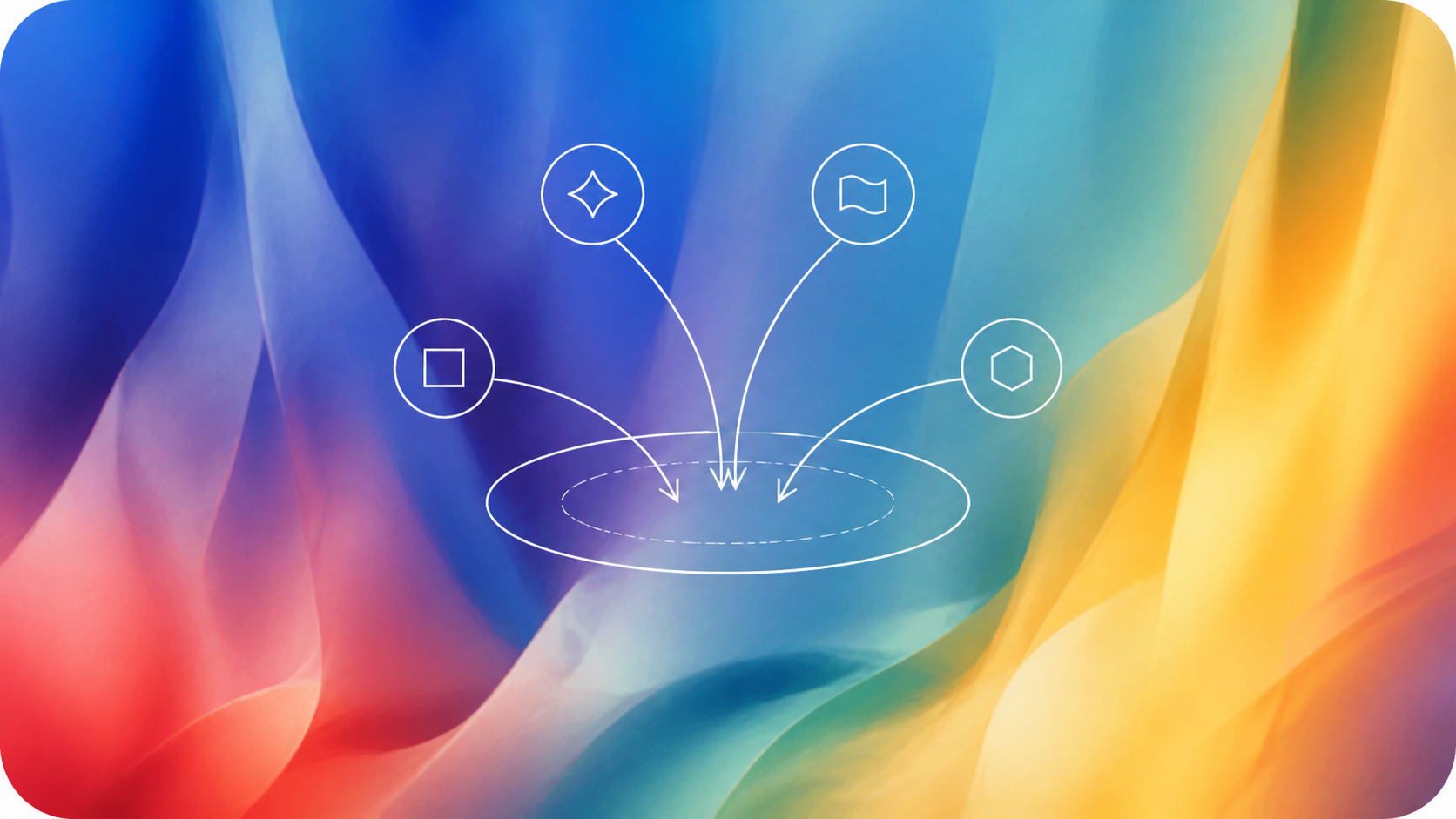
Although products use different systems, a useful AI second brain should help information move through four connected stages.
From saved information to useful work
Capture
Save useful links, notes, files, videos, and other sources with context.
Understand
Use AI to summarize the material and identify its main ideas.
Retrieve
Search or ask questions to find context for the task at hand.
Create
Turn existing knowledge into a brief, memo, deck, post, or document.
Capture alone does not create a second brain. The system becomes useful when it preserves context, retrieves the right material for a current task, and keeps AI-generated summaries connected to the original sources so users can verify important details.
How Ancher Turns Saved Information Into Useful Work
Ancher puts this workflow into practice by connecting capture, understanding, and creation in three steps.
1. Capture useful sources
Users can add URLs, PDFs, videos, podcasts, screenshots, and other sources without first building a complex folder system. Keeping the original source and its context makes the information easier to verify and reuse later.
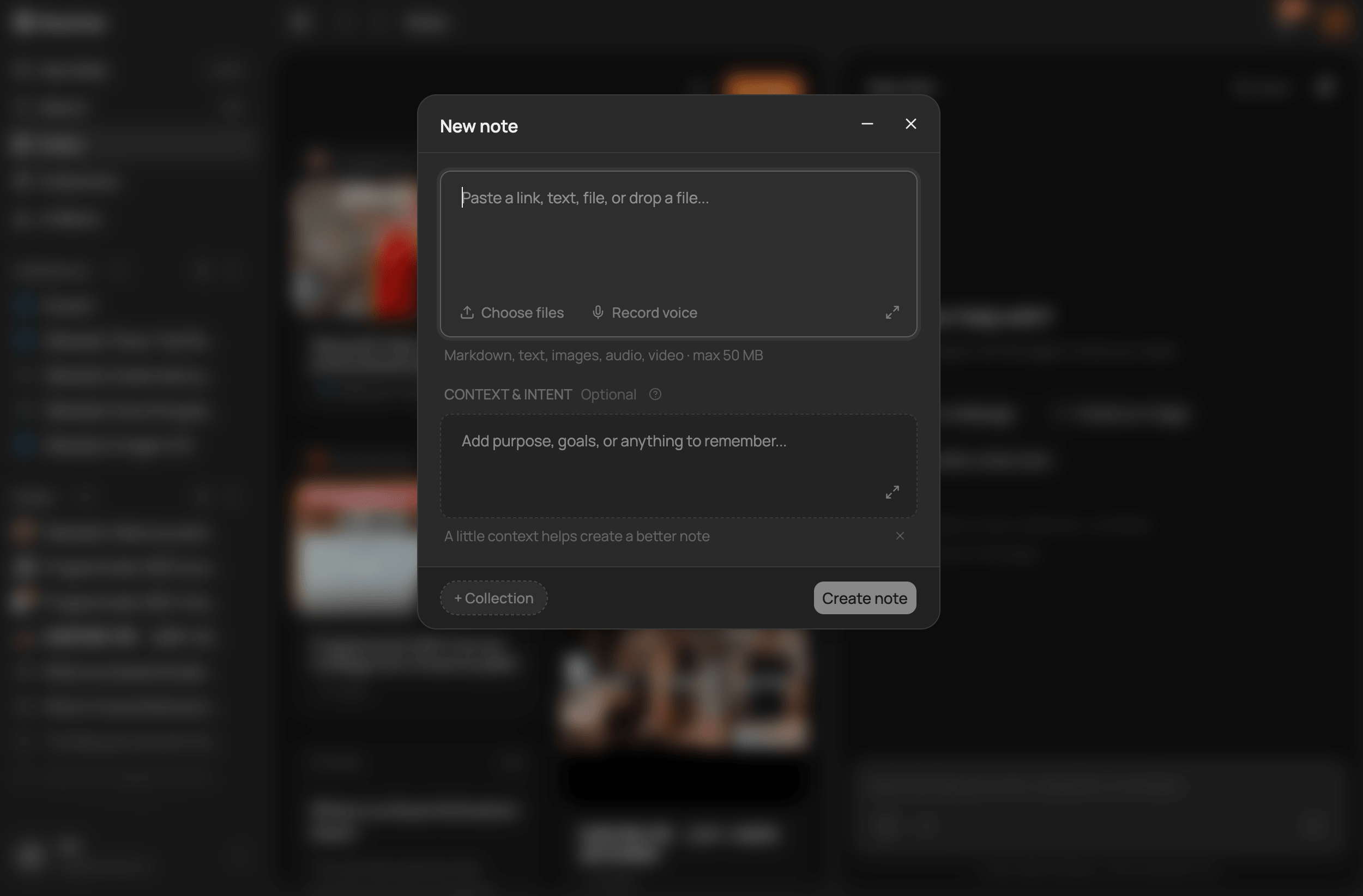
Capture useful sources in one place while keeping their original context.
2. Turn each source into a structured note
Ancher turns each source into a structured note with key points and takeaways. This gives users a faster way to understand what they saved while preserving a path back to the original material.
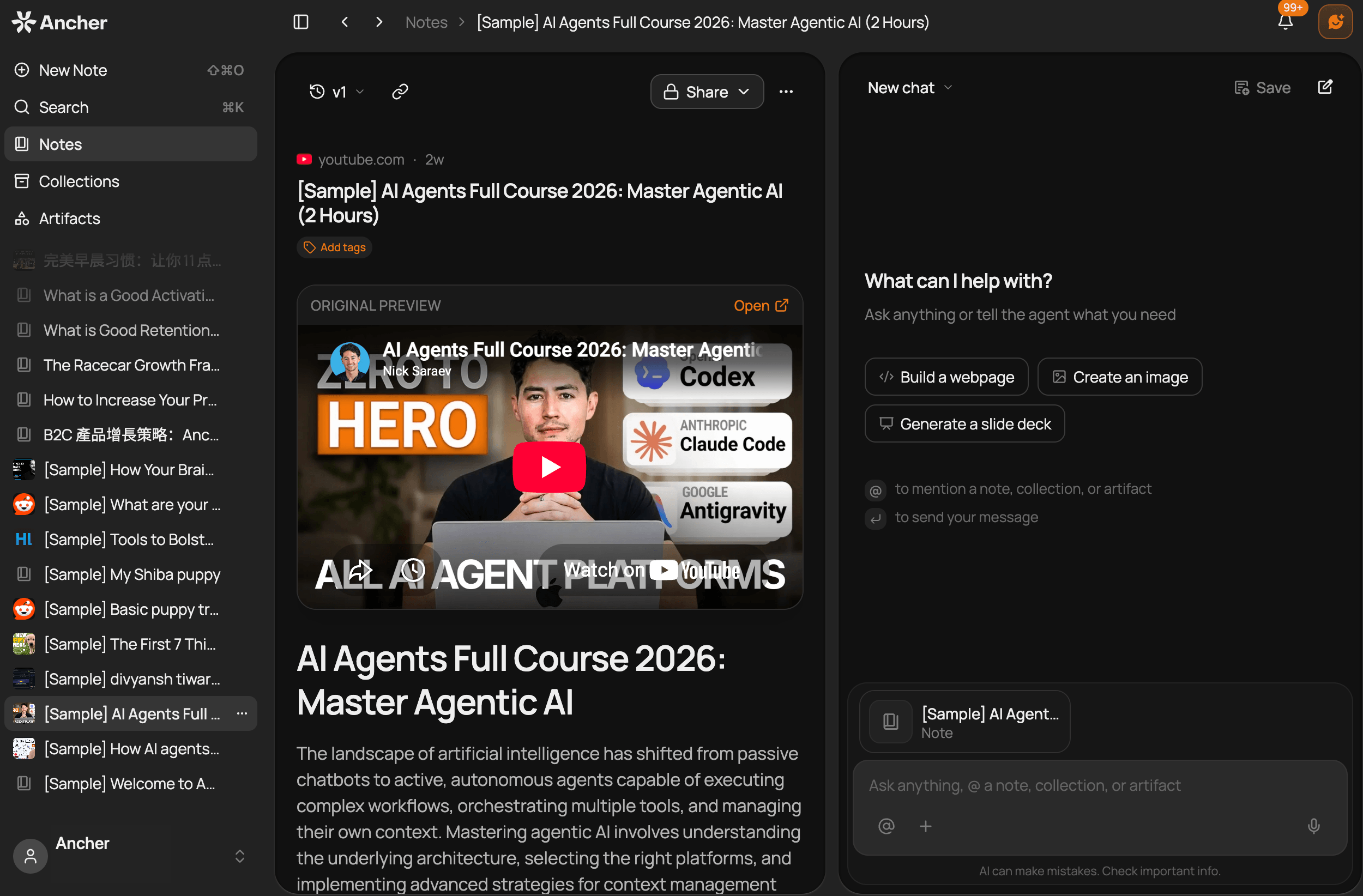
Turn each source into a structured note with key points and takeaways.
3. Build working context and create
Related notes can be grouped into a collection and used as focused working context for a topic or task. From that context, Ancher can help create deliverables such as memos, research briefs, decks, posts, notes, and documents, so saved material becomes part of an active workflow rather than another archive.
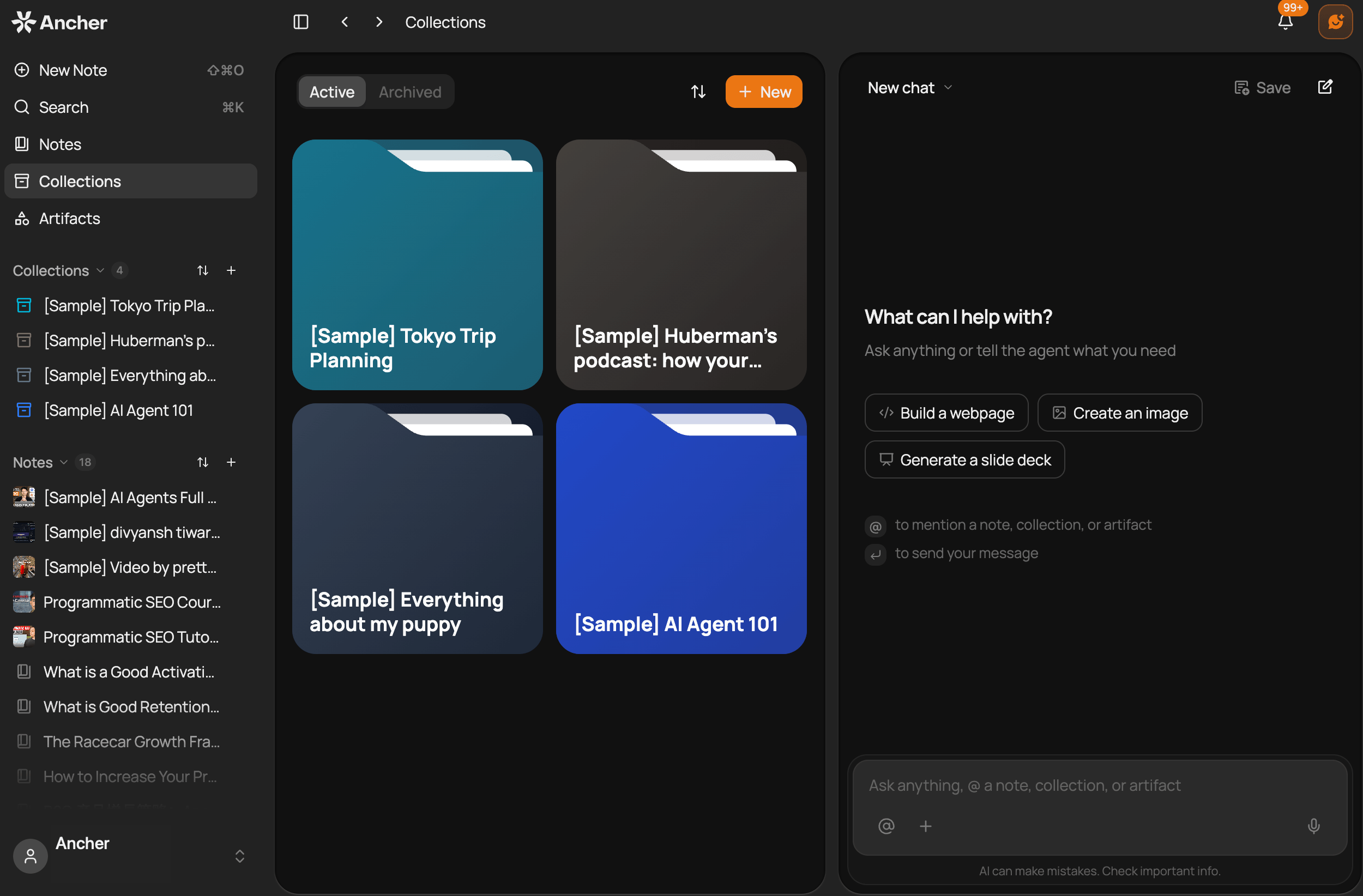
Group related notes into a collection and use them as context for new work.
How Is Ancher Different From Other Second Brain Tools?
Knowledge tools often overlap, but they are designed around different starting points. Some begin with pages and databases, while others begin with personal notes or a selected collection of research sources.
| Tool | Primary focus | Typical workflow |
|---|---|---|
| Ancher | Turning saved sources into structured notes and new work | Capture sources, group related notes, and use them as context for deliverables |
| Notion | Documents, databases, projects, and team knowledge | Build a workspace and use AI across its content |
| Obsidian | A connected personal knowledge base | Store local notes and connect them through links |
| Mem | AI-assisted note capture and recall | Save notes and use AI to organize and retrieve them |
| NotebookLM | Research across selected sources | Add sources, ask questions, and create grounded outputs |
The main difference is the starting point. Notion starts with a workspace, Obsidian with connected notes, Mem with AI-assisted recall, and NotebookLM with sources selected for a notebook. Ancher starts with saved sources and the work users want to create from them.
From Saved Information to Useful Work
An AI second brain becomes valuable when the right knowledge can return at the right moment and improve the work that follows. AI makes retrieval and reuse more efficient, but its role is not to replace human judgment; it gives people better access to knowledge they have already collected.
Ancher
Turn saved information into useful work
Bring your links, files, and ideas together, then use them as context for your next brief, deck, post, or document.
Try AncherFAQ
Frequently Asked Questions
What is an AI second brain?
An AI second brain is a personal knowledge system that uses artificial intelligence to help users capture, understand, retrieve, and reuse information. Unlike a basic archive, it brings relevant knowledge back when it can support a new task.
Is an AI second brain the same as a note-taking app?
Not exactly. A note-taking app mainly helps users record and organize information, while an AI second brain also aims to retrieve related material, connect sources, and apply past knowledge to current work.
Is ChatGPT an AI second brain?
ChatGPT can summarize, analyze, and generate content, but a full second brain also needs a reliable collection of personal sources and long-term context. A chatbot becomes closer to a second brain when it can continue working with information saved over time.
What is the difference between Ancher and NotebookLM?
NotebookLM is centered on sources selected for a notebook and helps users study or synthesize those materials. Ancher captures different source types, turns them into structured notes, and lets users group related notes into collections for creating new deliverables.
Do I need to organize everything before using an AI second brain?
No. AI can reduce the need to design a perfect folder or tagging system before getting started. A practical approach is to begin with valuable sources, then group and reuse them when they become relevant to a real task.