NotebookLM Alternatives: Four Options for Different Research Tasks
Compare Ancher, Claude Projects, Perplexity, and Open Notebook as NotebookLM alternatives for source-based writing, web research, and self-hosting.

NotebookLM may be doing its job well, yet still leave you with work to finish. You can ask questions about a collection, but perhaps your next step is finding new evidence, developing a long draft, or running the research environment yourself.
TL;DR
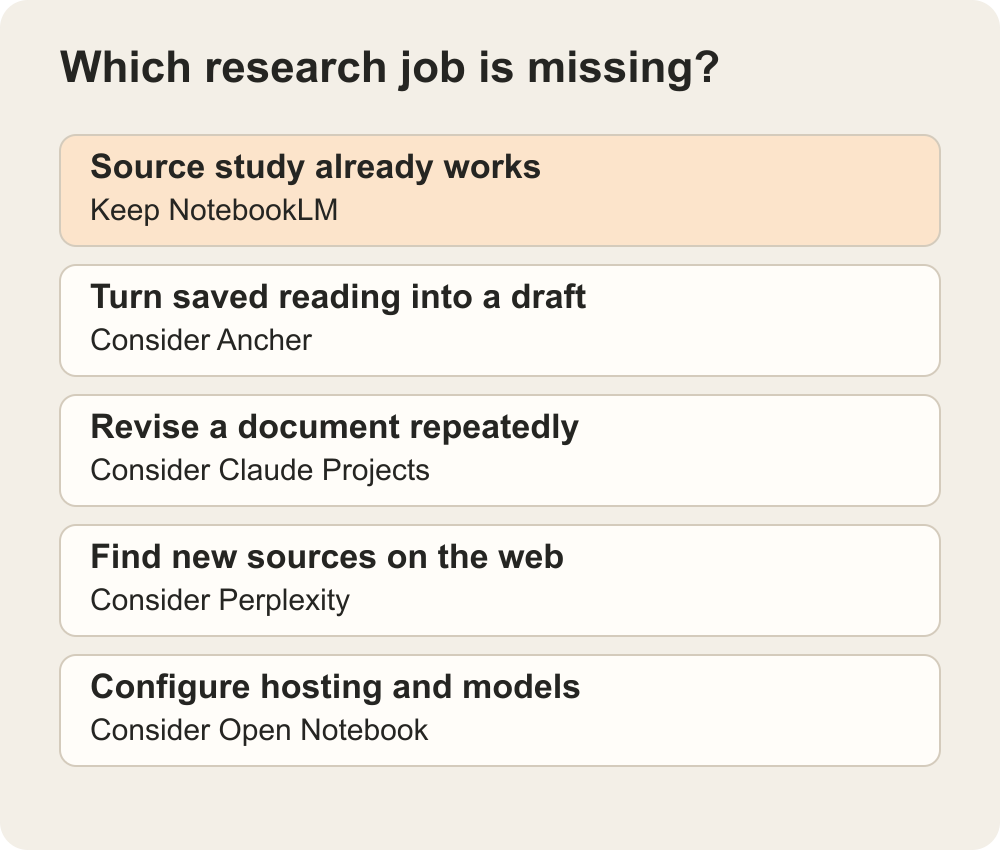
The right NotebookLM alternative depends on the missing job. Consider Ancher for saved-source writing, Claude Projects for iterative drafting, Perplexity for web discovery, or Open Notebook for configurable self-hosting. Keep NotebookLM if source-based questions and study outputs already meet your needs. These are task-specific choices, not interchangeable feature-for-feature replacements.
None is a universal replacement. If your main need is discussing a selected set of sources with citations and study-oriented outputs, staying with Google’s notebook tool may be the simpler choice.
What are you trying to replace?
Before switching, name the friction. “More powerful AI” is difficult to evaluate. “I want to keep revising a brief using the same source material” or “I need to choose where my data is processed” gives you a meaningful comparison.
Also establish a fair baseline. Google’s current help page, headed Gemini Notebook, describes uploads including PDFs, websites, YouTube videos, audio files, Docs, and Slides, along with source-based chat, citations, and study outputs. It is not accurate to dismiss the product as PDF-only or desktop-only.
For this comparison, the useful distinctions are the research boundary, the work you produce, and the responsibility you take on when adopting the tool.
| Option | Shortlist it for | Boundary to understand |
|---|---|---|
| Keep NotebookLM | Questions and learning from selected sources | Check that the source set supports the question |
| Ancher | Working from saved reading toward a brief or draft | Check source capture and the evidence in generated writing |
| Claude Projects | Iterative writing with shared project context | Do not assume every claim comes from uploaded files |
| Perplexity | Finding and investigating new web material | Separate newly found evidence from your own documents |
| Open Notebook | Configurable, self-hosted research workflows | You own deployment, security, and provider choices |
Open Notebook is the closest category match here for a configurable notebook-style research environment. Claude Projects and Ancher overlap with parts of the source-to-writing task. Perplexity’s discovery role can complement a notebook rather than replace it. Compare the job you need done, not the number of features on each product page.
Ancher: when collecting should lead into writing
Ancher is our product. The reason to include it here is its focus on connecting saved sources, structured notes, and new work—not a claim that it wins every research task.
Ancher’s workflow lets you collect material, group related notes, and use those collections as context for deliverables. That is worth trying if you keep returning to a growing body of reading while writing briefs, posts, or project documents.
Imagine you are preparing a monthly industry memo. You want to reuse a few earlier sources, add recent material, and distinguish what changed from what was already known. A collection gives that writing task a defined set of inputs.
Try requesting an outline that links its main claims to the selected material and flags missing evidence. Then inspect those claims before writing the final memo. This is a proposed evaluation, not a report of a completed product test. If your priority is a specific NotebookLM study format, confirm that requirement separately rather than assuming every source-based workspace offers the same output.
For the narrower product-to-product overview, see our Ancher and NotebookLM comparison. This article covers several different directions you could take instead.
Claude Projects: when the draft is the center of the work
Claude Projects provides workspaces with project knowledge, chat history, and instructions. You can add relevant files and describe how you want Claude to approach the work.
Shortlist it when the task involves repeated drafting and revision: changing a document’s structure, exploring an argument, or adapting a piece for a particular audience. Project instructions can preserve preferences that you would otherwise repeat in each conversation.
The boundary to test is evidence. A general-purpose assistant may produce a convincing explanation that goes beyond your files. Ask for source locations and check them; instructions to use only your materials are not an accuracy guarantee. Keep your original documents separately and evaluate whether the way citations and context appear meets your research needs.
A useful trial is to ask for a revision that removes one unsupported claim without weakening the rest of the argument. The outcome you want is a better draft with a clear evidential basis, not merely a more confident tone.
Perplexity: when you still need to find the sources
Consider Perplexity when your source collection is incomplete and open-web discovery is part of the task. Its workspace documentation, now titled Projects, describes a persistent place for search conversations, files, instructions, and ongoing work. Older comparisons may refer to Spaces.
For example, you may have an internal brief but still need recent documentation on a competitor’s feature. That is a different problem from asking questions only about a fixed set of uploaded files.
The trade-off is a wider evidence boundary. A result found online is not automatically authoritative or applicable to your situation. Open the cited page, check its date, and prefer the original documentation for product claims. Keep new web findings distinguishable from the material you supplied.
If the assignment must stay within approved documents, test the available source controls before relying on it. A helpful search answer and a closed-source research answer serve different purposes.
Open Notebook: when control is worth the maintenance
Open Notebook is an open-source research application with notebooks, source-based chat, search, notes, and configurable model providers. It belongs on the shortlist when hosting and configuration are part of the decision rather than details you want a vendor to handle.
That control comes with operational work. Someone must install updates, protect access, maintain backups, and check the services used for generation, transcription, and embeddings. Self-hosting the interface does not mean the entire workflow stays on your machine if you configure a cloud provider.
Before importing confidential material, map where each stage runs. Start with public sample documents and verify a backup and restore. A successful chat is not enough to establish that the system is ready to hold an important archive.
Open-source software also is not the same as zero operating cost. Account for hosting, model usage, and maintenance time. If nobody wants responsibility for those tasks, a managed tool may be the more practical choice.
Compare two options with the same small project
Choose one task you already understand and use the same permitted sources in each candidate. Include a question whose answer you know and one the sources cannot resolve.
- Import and inspect. Confirm that important text, tables, and source names are present.
- Ask for an evidence-backed answer. Follow the references to the original passages.
- Produce the next deliverable. Draft the memo, study guide, or outline you actually need.
- Change one input. Add a correction and check whether the next answer respects it.
- Test the exit. Export useful work and keep your originals before considering a migration.
Do not assume notebook structure, chat history, citations, and generated outputs will all transfer between products. An export that preserves readable text can still lose relationships you relied on.
Switch for a specific improvement
If your sources are in place and Google’s notebook already helps you understand them, there may be no reason to move. A different app should solve a problem you can name.
Try Ancher when you want saved reading to feed ongoing writing. Try Claude Projects when iterative drafting is the main activity, Perplexity when finding new evidence is central, and Open Notebook when configuration and hosting control justify the maintenance.
You can test that improvement on one project without migrating your whole archive. Keep the option that makes the next piece of work easier to finish and easier to check.
Ancher
Work from the reading you already saved
Bring related sources into a collection and use them as context for your next piece of writing.
Try AncherFAQ
Frequently Asked Questions
Which NotebookLM alternative should I try first?
Choose by the missing task: Ancher for saved-source writing, Claude Projects for iterative drafting, Perplexity for web discovery, or Open Notebook for configurable self-hosting. If your current source-study workflow already works, you may not need to switch.
Is a self-hosted alternative completely private?
Not automatically. Hosting the application yourself does not prevent configured cloud models or other processing services from receiving data. Check the full processing path and access controls before importing sensitive material.
Can I move an entire notebook into another app?
Do not assume a complete transfer. Keep original source files, then test a small export and import. Check whether notes, citations, source relationships, chat history, and generated outputs survive in the form you need.